







Experiencing issues where your smart plug turns on and off can be both puzzling and frustrating, especially when it happens unexpectedly. This common problem can disrupt your daily routine, affecting everything from your morning coffee to your home security system. Fortunately, several potential causes, ranging from minor glitches to more complex technical issues, can explain this behavior. Understanding these causes is the first step toward solving the problem and restoring harmony to your smart home setup.
In Greer, SC, and beyond, smart home enthusiasts often encounter signal interference or incorrect schedule settings as primary culprits. These issues can usually be resolved with a few troubleshooting steps that don’t require professional help. However, it’s crucial to approach these fixes with caution to avoid inadvertently causing further problems. For more persistent or complex issues, seeking advice from experts like Mister Sparky in Greenville, SC, may be necessary.
Another important aspect to consider is the firmware of your smart plug. Outdated software can lead to performance issues, including the frustrating on-off cycle. Regularly checking for updates and maintaining your device can help prevent these problems. This proactive approach not only improves your smart plug’s functionality but also extends its lifespan, ensuring you get the most from your smart home investment.
For residents in Spartanburg, SC, and nearby areas, knowing when to adjust app settings and when to call a professional like Mister Sparky can save time and avoid unnecessary expenses. While many fixes are simple, ensuring they’re done correctly is essential for the safety and efficiency of your smart home devices. Remember, when in doubt, consulting a qualified professional is always the best course of action to keep your smart home running smoothly.
Understanding Why Your Smart Plug Turns On and Off
When a smart plug turns on and off without warning, it’s often due to signal interference. This issue is especially common in areas crowded with wireless devices. In tech-heavy households like those in Greer, SC, bandwidth competition can trigger random on-off cycles. Try relocating your device or limiting the number of active gadgets nearby to minimize disruptions.
Another common reason a smart plug turns on and off is incorrect scheduling. Many users accidentally set timers or routines in the device’s app. Double-checking your settings can often solve the mystery quickly. Making sure the smart plug aligns with your actual needs prevents unnecessary surprises.
Outdated firmware may also be to blame when your smart plug turns on and off unexpectedly. Manufacturers often release updates to improve performance and fix bugs. Keeping your device updated ensures stable and predictable behavior. In Spartanburg, SC, where smart homes are increasingly common, routine firmware checks are highly recommended.
If all else fails and your smart plug turns on and off without cause, it might signal a deeper electrical issue. This situation may require a professional’s expertise to investigate safely. Contacting a licensed electrician in Greenville, SC, like Mister Sparky, is the wisest move. They can identify and resolve any underlying problems to restore reliable operation.
Checking for Signal Interference and Connectivity Issues
Understanding the role of signal interference and connectivity issues is key when a smart plug turns on and off unexpectedly. In homes packed with wireless gadgets, overloaded networks are often the root cause. Enhancing your setup with a Wi-Fi extender or upgraded router can help support more devices. This change often improves overall smart plug performance and stability.
Another reason a smart plug turns on and off could be weak Wi-Fi signal strength. Spotty connections often lead to inconsistent power cycles that seem random. Try relocating the plug closer to your router or eliminating physical barriers that block signals. This minor adjustment can deliver major improvements in connectivity and reliability.
Sometimes, your smart plug turns on and off because it’s using a congested network band. Most routers have 2.4 GHz and 5 GHz options, with the former usually more crowded. If your plug supports it, switch to the 5 GHz band for better performance. This change often results in smoother and more predictable device operation.
If your smart plug turns on and off even after trying these fixes, deeper issues might be at play. Professional evaluation becomes the smart next step in these scenarios. Mister Sparky in Greenville, SC, can assess both connectivity and electrical concerns. Their expert help ensures your smart system runs flawlessly and safely.
Reviewing and Adjusting Schedule Settings
One common reason a smart plug turns on and off could be due to incorrectly set schedule settings within the app. Users might not realize they have activated a timer or a specific routine that instructs the plug to behave in this manner. By thoroughly reviewing the app’s settings, one can identify and correct any misconfigurations. This step ensures the smart plug operates based on the user’s current needs, not on an outdated schedule.
Another potential fix involves resetting the smart plug to its factory settings. This process can help clear any glitches or errors that might have occurred over time. Resetting is straightforward and usually requires holding down a button on the plug for a few seconds. After the reset, users need to set up the smart plug again, ensuring it functions as intended without turning on and off randomly.
Updating the smart plug’s app can also resolve unexpected on and off cycles. Developers continually improve their software, fixing bugs and enhancing compatibility with smart home ecosystems. By keeping the app up to date, users can avoid many issues related to software glitches. This proactive measure not only improves the plug’s performance but also enhances overall user experience.
If after trying these solutions the smart plug continues to malfunction, it might be time to consider replacing the device. Sometimes, hardware faults can cause erratic behavior that cannot be fixed through troubleshooting. In such instances, purchasing a new smart plug is the most reliable solution to ensure your smart home system remains efficient and effective. Remember, maintaining your smart home devices is key to enjoying a seamless and convenient lifestyle.
The Impact of Outdated Firmware on Smart Plug Performance
The performance of your device can suffer when a smart plug turns on and off due to outdated firmware. Manufacturers often release updates to fix bugs and enhance stability. Keeping the firmware current is a simple but essential step. This helps ensure smart plugs function smoothly as part of a reliable smart home system.
Even after updating, a smart plug turns on and off might still persist because of network compatibility issues. Some plugs struggle with certain Wi-Fi setups, causing performance hiccups. A consultation with Mister Sparky in Greenville, SC, can uncover these problems. Their guidance ensures your smart home devices work in perfect harmony.
Environmental factors can also be the reason a smart plug turns on and off randomly. Power surges or voltage fluctuations might disrupt performance and cause the device to reset. Installing a surge protector can shield the plug from electrical disturbances. This extra layer of protection helps prolong the lifespan of your smart home gear.
If your smart plug turns on and off despite all efforts, the plug might be faulty. In such cases, replacement is usually the best option. A new device can restore functionality and eliminate unnecessary frustrations. Staying on top of updates and device health ensures a hassle-free smart home experience.
Ensuring Proper Installation and Setup
Ensuring your smart plug is properly installed and set up is crucial to prevent it from turning on and off unexpectedly. Sometimes, the root of the problem is as simple as the plug not being fully inserted into the outlet. A secure connection ensures that your smart plug receives a steady power supply, eliminating potential disruptions in its operation. This step is often overlooked but can make a significant difference in the functionality of your device.
Another important aspect is to follow the manufacturer’s setup instructions carefully. Each smart plug comes with a specific set of guidelines designed to optimize its performance. Skipping steps or misconfiguring the device during the initial setup can lead to issues, including the unwanted on and off cycling. Taking the time to correctly configure your smart plug can save you from unnecessary troubleshooting later on.
Compatibility with your home’s Wi-Fi network is also key to ensuring smooth operation. Some smart plugs may require a 2.4 GHz network to function properly, while others might work with both 2.4 GHz and 5 GHz networks. Checking this compatibility before installation can prevent connectivity issues that cause erratic behavior. If you’re unsure about the requirements, consulting the product’s documentation or reaching out to customer support can provide clarity.
Lastly, if you’ve tried all the above solutions and your smart plug still turns on and off, it might be time to consult with a professional. In Greer, SC, and surrounding areas, experts like Mister Sparky are equipped to diagnose and resolve complex issues with smart home devices. Their knowledge and experience can help identify whether the problem lies with the smart plug or perhaps with the electrical system itself, ensuring your smart home operates seamlessly.
Dealing with Overloading and Power Surges
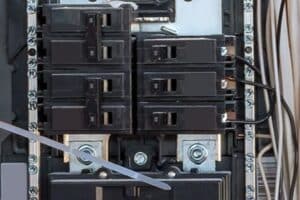
Dealing with overloading and power surges is essential to prevent your smart plug from turning on and off unexpectedly. Overloading occurs when too many devices are connected to a single circuit, leading to unexpected shutdowns or restarts of your smart plug. To avoid this, ensure you distribute your devices across different circuits in your home. This approach helps maintain a balanced load and prevents overloading, which can cause your smart plug to malfunction.
Power surges are another common issue that can affect the performance of your smart plug. These sudden increases in voltage can damage electronic devices, including smart plugs, leading to erratic behavior such as turning on and off. Using surge protectors is a practical solution to shield your devices from these voltage spikes. Not only do they provide an extra layer of safety, but they also help extend the lifespan of your smart home devices.
In Spartanburg, SC, residents can experience fluctuations in power supply, which might lead to power surges. It’s advisable to regularly inspect your home’s electrical system and consider professional surge protection solutions. This proactive measure ensures your smart plug and other devices are safeguarded against unexpected power disturbances. Keeping your electrical system in check can significantly reduce the risk of damage to your smart home setup.
If you’ve implemented these steps and your smart plug still turns on and off, it could indicate a more serious electrical issue. In such cases, consulting with a professional electrician becomes crucial. Experts like Mister Sparky in Greer, SC, are well-equipped to identify and resolve complex electrical problems. Their expertise ensures your smart home devices, including smart plugs, operate reliably and safely, free from the interference of overloading and power surges.
When to Reset Your Smart Plug
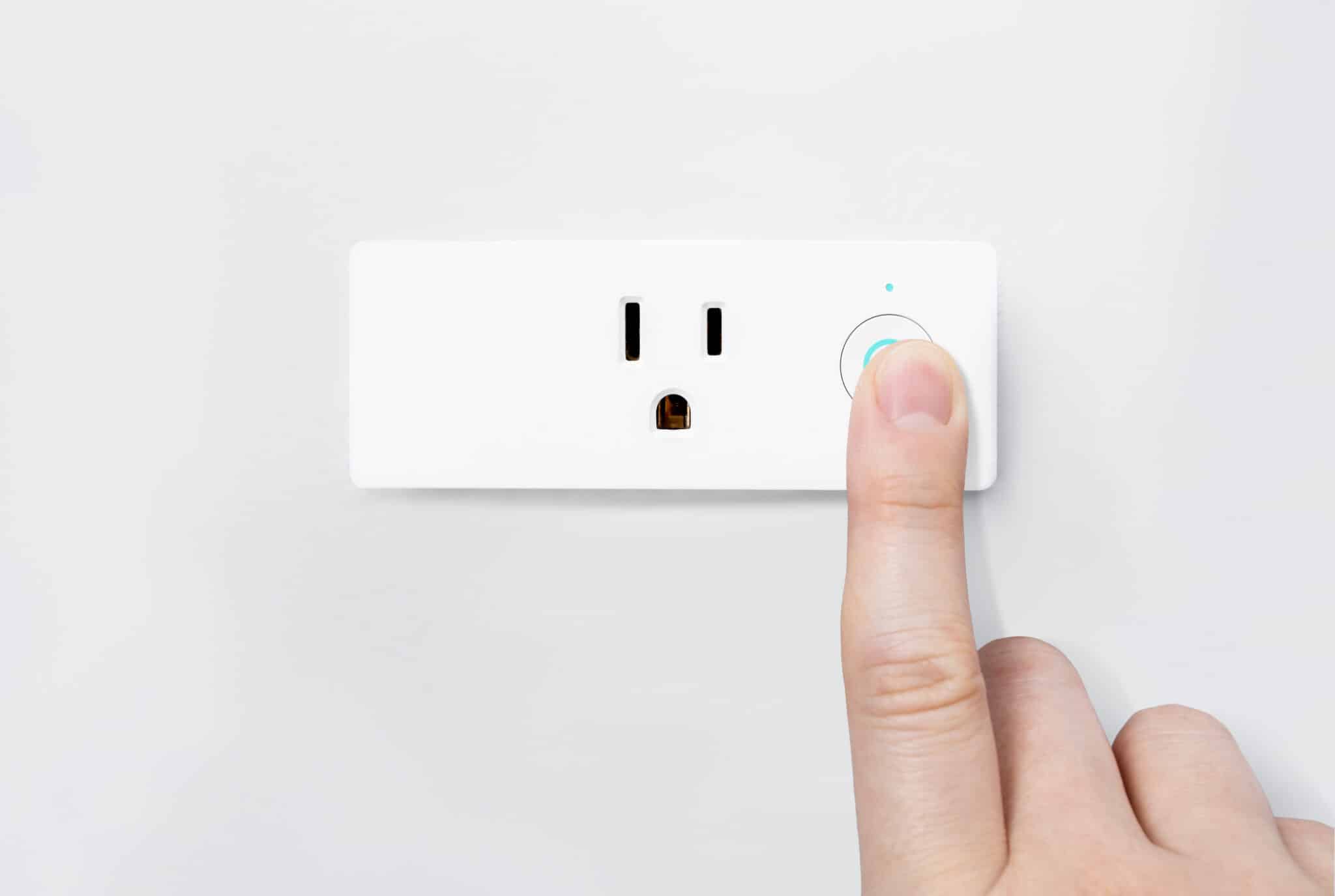
Resetting can be a quick fix when a smart plug turns on and off without explanation. This simple step clears glitches and restores factory settings. In Greer, SC, where smart technology is widely embraced, smooth device function is essential. A quick reset may be all it takes to keep your home running efficiently.
Once reset, reconfiguring the device is key, especially if your smart plug turns on and off due to past misconfigurations. Follow the manufacturer’s instructions closely to avoid future errors. In Spartanburg, SC, tech-savvy homeowners know the value of correct setup. This careful step often prevents recurring smart plug issues.
If a smart plug turns on and off even after a reset, hardware damage could be the cause. Wear and tear or internal faults may lead to inconsistent behavior. In such cases, replacing the plug ensures long-term reliability. It’s a smart move to maintain overall smart home performance.
Monitoring your device after a reset can catch issues early, especially if your smart plug turns on and off again. Persistent problems may require expert evaluation. A professional electrician can assess whether the issue is device-related or system-wide. This keeps your home safe and your tech operating at its best.
Contacting Mister Sparky for Professional Assistance
When a smart plug turns on and off despite your best troubleshooting efforts, it may be time to call in a professional. If resets, updates, and careful installation haven’t worked, deeper issues could be at play. In Greer, SC, Mister Sparky offers expert help for these situations. Their licensed electricians can uncover the root cause and restore smart home reliability.
In Spartanburg, SC, many rely on Mister Sparky when a smart plug turns on and off for no clear reason. Their experience with smart home systems helps them quickly pinpoint whether the device or wiring is at fault. This type of professional insight can save both time and stress. It also protects your investment in connected home technology.
For homeowners tired of guessing why a smart plug turns on and off, professional service brings peace of mind. Mister Sparky technicians use advanced tools and proven methods to solve these frustrating issues. Whether it’s a simple replacement or a more involved repair, they’re equipped to handle it all. Their support helps keep your smart devices dependable and safe.
Sometimes, a persistent smart plug turns on and off because the problem lies beyond what DIY methods can fix. That’s when calling Mister Sparky in Greenville, SC, is the smartest choice. Their trained professionals ensure your devices run smoothly and safely. Choosing expert help lets you enjoy a truly seamless smart home experience.
FAQs About Smart Plug Turns On and Off
Why does my smart plug turn on by itself?
If your smart plug turns on by itself, it might be due to signal interference or a misconfigured schedule. Checking the app for any preset schedules can often solve the mystery quickly. Sometimes, updating the plug’s firmware through the app can fix these unexpected behaviors. If these steps don’t help, reaching out to a professional like Mister Sparky in Greenville, SC, could provide the necessary expertise.
How to reset a smart plug?
Resetting a smart plug is a straightforward process. First, unplug the device from the outlet and wait a few seconds. Next, plug it back in while pressing and holding the device’s reset button. Keep holding the button until the indicator light starts flashing, signaling a successful reset. This simple step can often fix issues if your smart plug turns on and off unexpectedly.
What causes Smart Plug Turns On and Off?
Several factors could lead to a smart plug turning on and off unexpectedly. Often, this issue stems from weak Wi-Fi signals or electrical surges in your home’s wiring. Incorrect settings within the smart plug’s app might also trigger this behavior. For a thorough check and safe resolution, consulting with experts like Mister Sparky in Greenville, SC, is a wise choice.
Can a smart plug be repaired?
Repairing a smart plug is possible, but it depends on the issue. Simple problems like software glitches can often be fixed with a firmware update. However, physical damage or internal faults might require professional attention. For safe and effective repairs, contacting a specialist like Mister Sparky in Greenville, SC, is recommended.
How to prevent Smart Plug Turns On and Off?
To prevent your smart plug from turning on and off, ensure it has a strong Wi-Fi connection. Regularly update the plug’s firmware through its app to keep it running smoothly. Check the app for any schedules or automation that might be causing the issue. If problems persist, reaching out to professionals like Mister Sparky in Greenville, SC, can offer a reliable solution.